


Seinajoki University of Applied Sciences in Finland Deploys a Symetrix D100 DSP Server
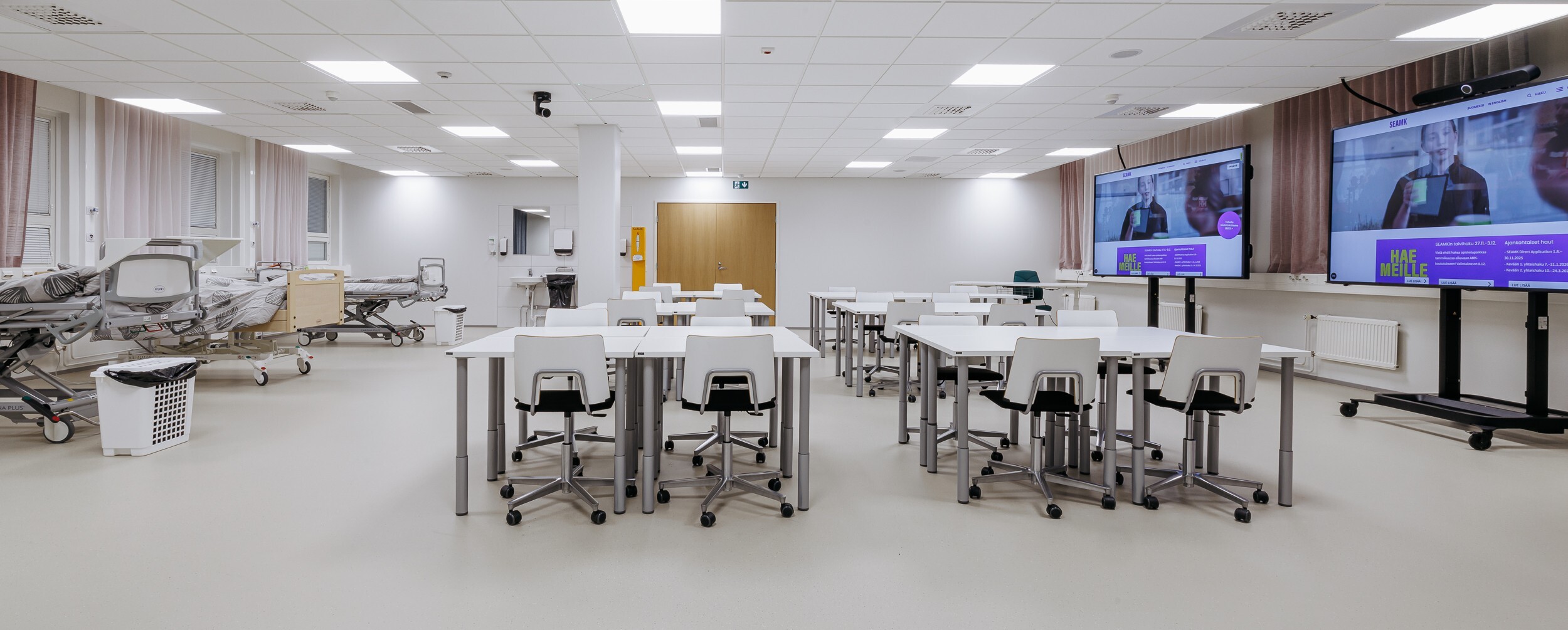
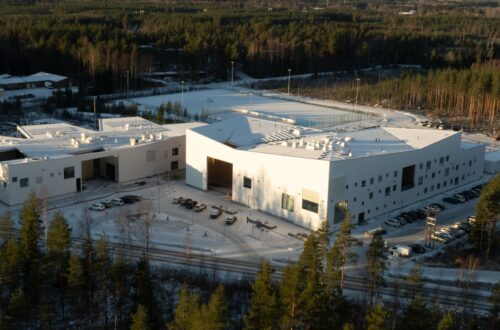
Seinäjoki University of Applied Sciences in Finland has around 6 000 students. Their main areas of expertise are social welfare, nursing, business, technical sciences and even a little bit of cultural production and library studies.
The university had a mixture of audio and video systems in the classrooms and they were really not working like they wanted. The system was old and outdated with components from different eras and they wanted everything to be centralized and controlled from the same place while being more reliable and up to date.
This forced the staff to think things over while keeping focused on how the students would really benefit from a new system and be able to have the most authentic learning experience even when not physically present at classes. So they began to focus on a hybrid approach where students can be either on site or home, or at other schools in Finland and still have the same experience.
The university had a nursing simulation class built and then added a hybrid class which can be also used with the simulation class. When nursing students are working with simulations, the audio and video can be directed externally so someone from home or another school can hear and watch the same things.
The class simulates hospital-like conditions using medical manikins as patients with programmable functionality to mimic status such as breathing. The students are monitored and evaluated as to their responses. The same room is also used as an elder care facility to practice treating elder people.
With the old system it would have been impossible to create a hybrid environment but now everything is connected using a Symetrix D100 server. System integrator Luova Tehdas selected the D100 with AV Designer- Project Manager Antti Kivekäs stating, “the D100 was the only solution that could satisfy the channel count and provide the necessary reliability”. The server can manage the simulation room and the hybrid classroom separately or combine both together.
In the hybrid class, roof microphones cover the entire area of the room so whenever people talk wherever they are, it can be clearly heard by external students as if they were next to the on-site students. On-site students can hear the external students speaking when they have questions. This brings the experience of the students to feel much more realistic even if they are attending remotely.
To better understand what was possible staff talked to colleagues in other universities and checked what they have been doing and while some have substantial resources for this, SEAMK is a smaller university and required an experienced external supplier and were fortunate to have a well-qualified local integrator Luova Tehdas who helped provide the right solutions which included the Symetrix server. Staff visited a local school to see a Symetrix solution where different rooms could connect to more rooms being controlled in different places to dynamically create virtual spaces.
When starting to plan the system the key factor was always about students and their authentic experience which required thinking about the student user experience as well as thinking about the teacher user experience along with the pedagogical solutions for hybrid classes. Several teachers were involved in the planning process providing input about how to use audio and video and how to present everything to both the external and internal attendees.
Over the period of a couple months Luova set up a demo at their facility. They brought in many different laptops from users and tested that everything works. Teachers came in to see how the classroom would work for them and learned how to operate it.
A big part of the integration process involved controlling and connecting different devices from different brands together with the Symmetrix D100 server over a centralized AV network. The D100 was a new product but familiar to Luova Tehdas and so presented no difficulties because everything looks the same as other Symetrix signal processors with just more audio channels and more processing power.
Luova Tehdas created a custom interface by interacting with university staff to understand what kinds of components needed to be controlled and how to best present this to users. Graphics were created with logos and custom colors. Feedback was collected and adjustments were made on buttons, colors, and how controls worked.
“The customer wanted a really simple user interface to control the whole system in the room like cameras, microphones, displays and have it all in one screen that would be easy to use for anyone so we used a Symetrix T10 touchscreen display for this purpose,” according to Antti.
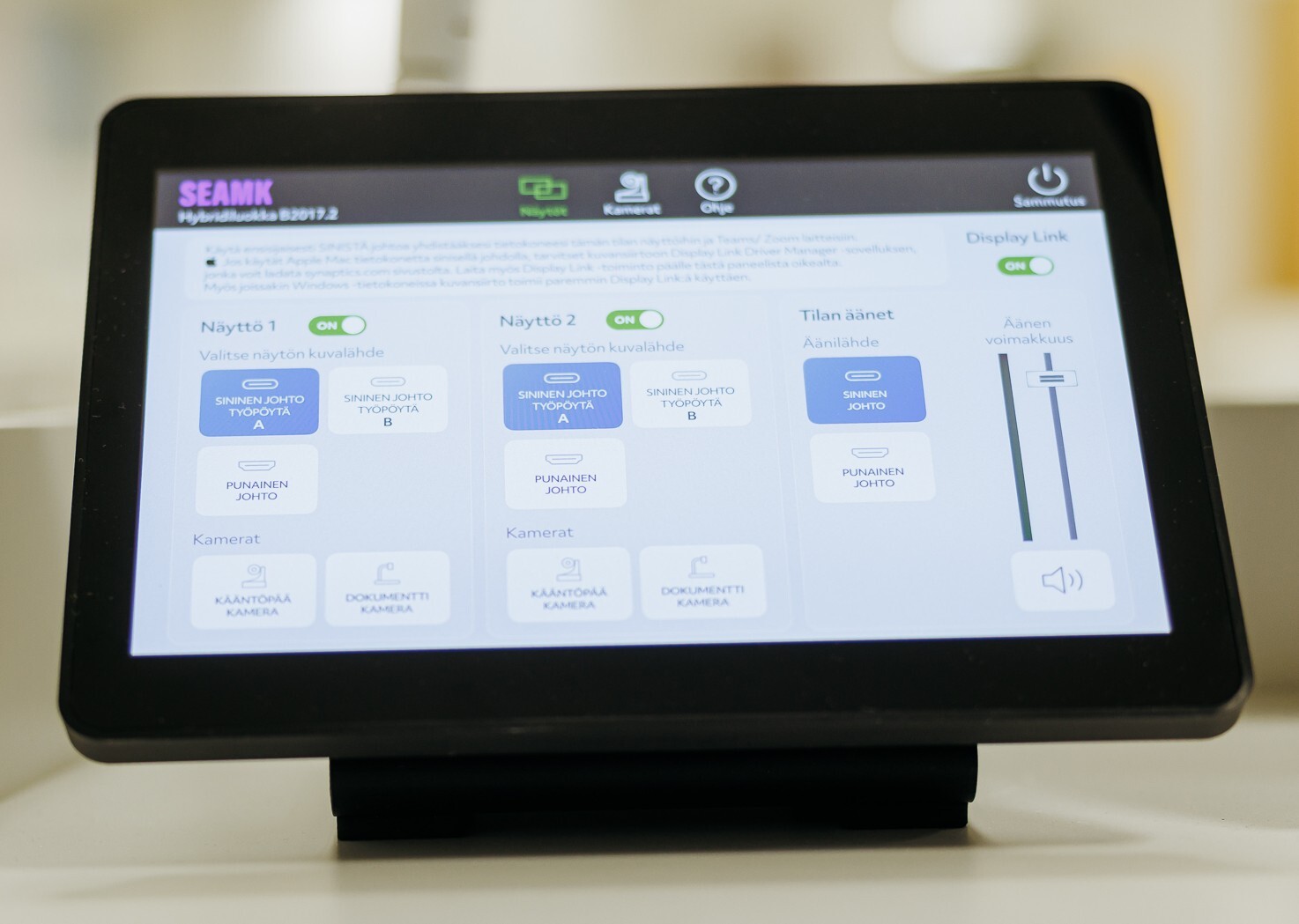
While Luova Tehdas had done some earlier projects with similar requirements, the challenge was to place all the features so that there were not too many buttons on the screen so it would be so simple that anybody who wants to use the classroom would be able to do so.
The programming to make everything work is done with a combination of Symetrix Intelligent Modules from the existing library and Symetrix Composer software. Other modules were still in development or did not exist but were scripted and sent from Symetrix. Buttons on the control screen are assigned to different features in the Intelligent Modules. This process enables the system to meet all the user requirements.
In addition to the displays, a PTZ camera in the classroom has motion control from the touchscreen and it also has AI features with gesturing to follow the speaker in the classroom. Dante audio comes from the Sennheiser ceiling microphones. A Lightware UCX switcher connects to laptops via one USB-C cable supporting dual desktops from the laptop to screens. Microsoft Teams integration is supported through control of an InoGeni USB switcher. Everything was thoroughly tested in advance.
AV Specialist Matti Hankkio from Luova Tehdas explains “when the user comes to the classroom there's just one button to press to start the system and then the user connects their laptop with a USB-C cable for Internet connectivity including Teams features along with putting video from the laptop to the two big screens with the option to select the copied display or extended display. For the second screen they can choose what image and what source goes to Teams, they can choose the PTZ camera or choose a document camera or external source from HDMI.”
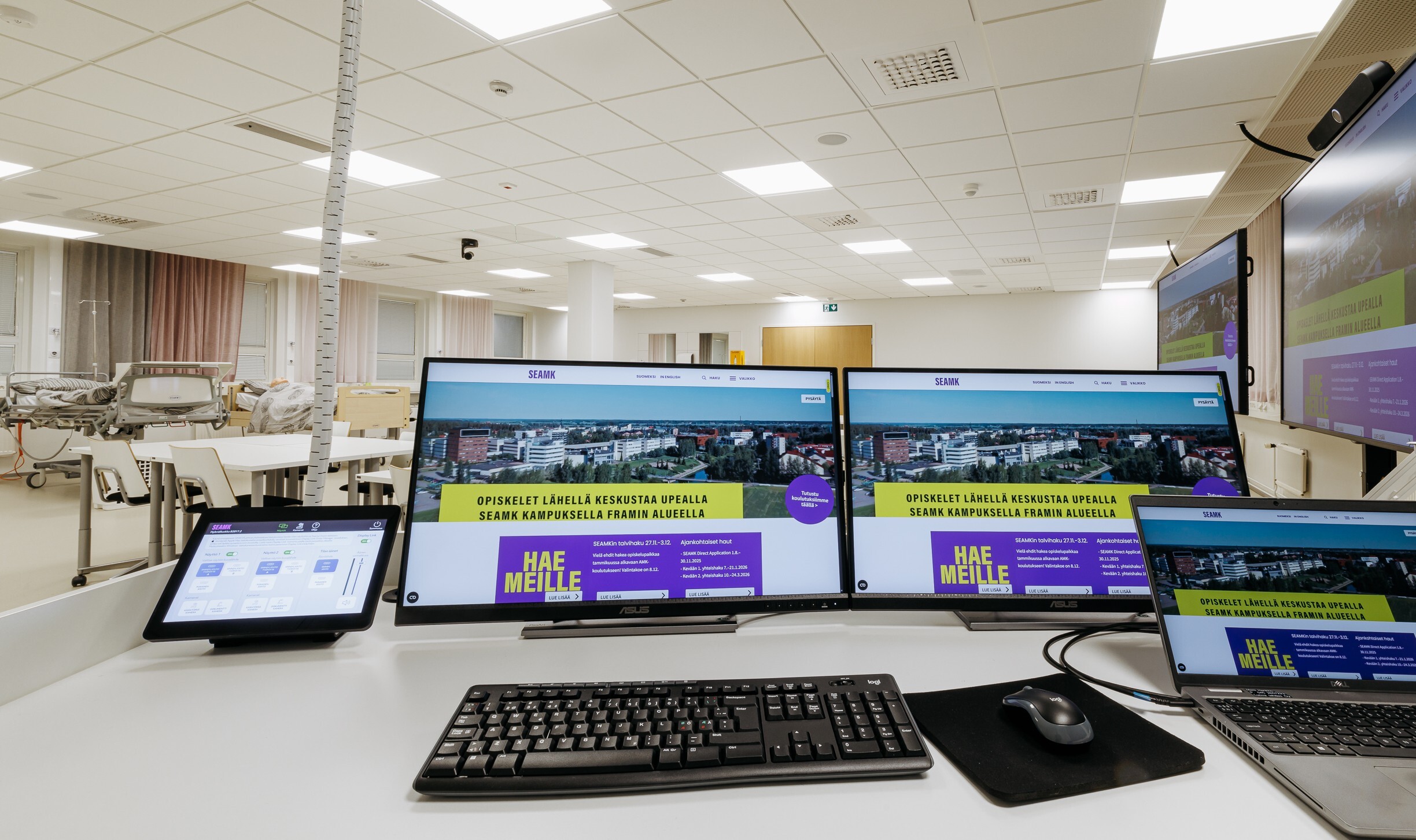
Tero Hakola, Manager of Digital Services at SEAMK exclaims, “this one touchscreen system is really, really brilliant because you can control everything easily so it's usable for the normal users and you don't need to be a tech guru to use the system. You push on one button and then you see the control panel and then can use this monitor and that monitor and this camera and that's it.”
On one monitor students see the presentation and on the second monitor the remote attendees are seen so the people in the class see the other students and vice versa, which creates a sense of togetherness and facilitates equal participation during each session.
The university when planning five or ten years in the future saw the hybrid concept expanding and so had to consider the impact on their organization. They made the decision that everything audio and video is going to be IP based so they had to build another audio video network for the system and are now further building this out without hindering normal network usage.
An additional benefit of the system is remote monitoring. When a teacher is presenting something or having a class or having a hybrid session and they encounter a problem they will call the help desk. In the past support staff would go to the site and see what's the problem and in the middle of everybody they are fixing issues, but this new system is actually a lot more easy to do because they can see from their own room what is going on and if something is not working and give instructions to the teacher how to make things work.
The hybrid class here for nursing program is a pilot and the next step is going to be a theory class for the technical program, and they are also considering an ICT class someday and a large group meeting room is going to be added. There will be three rooms in the system this year and two more next year all managed by the D100 server. The system gives them the flexibility to expand and can install whatever they want as long as it's AVoIP.
Antti reports “feedback has been good because the system is approachable and not complicated” Matti adds “the feedback for us is that we have made something right”.
Tero shares, “I believe the system gives much more flexibility for the students to attend class from different locations and still keep on track with what's going on. This flexibility for the students is the key thing”.
While the system readily accommodates remote access, Tero reflects, “I don't think that we're ever going to go full remote, we will still have a lot of life in the campus site here”.