










-
Type
- Dante
- Networking
- Control
-
System Management
- Composer Management Software
- SymVue Screen Authoring
- AV-Ops Center Remote Monitoring
- ARC-WEB Control Interface Signal Processing
- D100 AVoIP DSP Server
- Radius NX AVoIP DSP
- Prism AVoIP DSP
- Edge AVoIP DSP
- DSP I/O Expansion Cards
- Jupiter DSP
- Zone Mix 761 DSP I/O Connectivity
- xIO Bluetooth Endpoints
- xIO XLR Endpoints
- xIO AVoIP DSP Audio Expanders Control Systems
- T-Series Touchscreen Controllers
- W-Series Controllers
- Control Server for Personal Devices
- xControl GPIO Expander
- ARC-Series Controllers
How to Integrate an ARC-K1e with ARC-EX4e (or ARC-SW4e)
Product:Composer Management Software
Product:ARC-Series Controllers
Type: Control
The ARC-K1e is a simple, intuitive ARC remote that can be used for many parameters. However, the large majority of use cases are likely volume control. In this example we will couple an ARC-K1e with an ARC-EX4e that will act together as volume control and input selection.
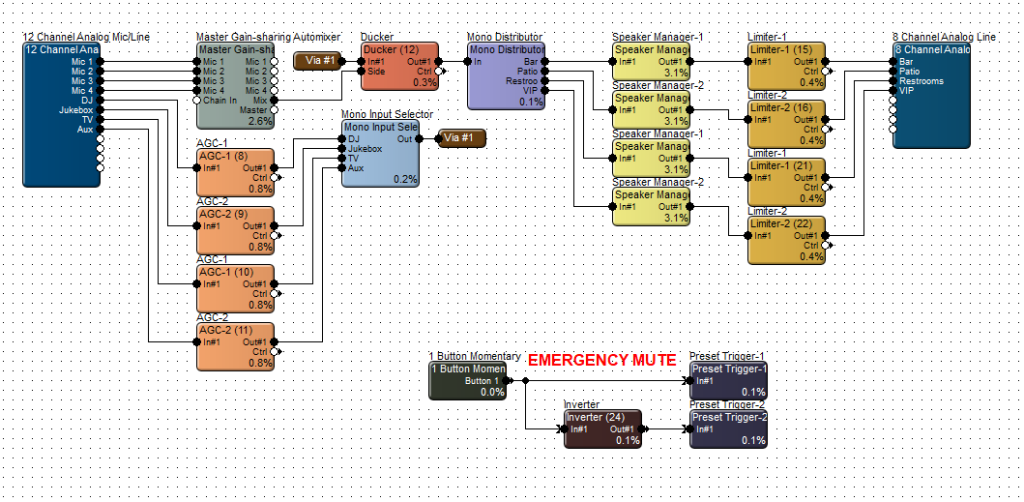
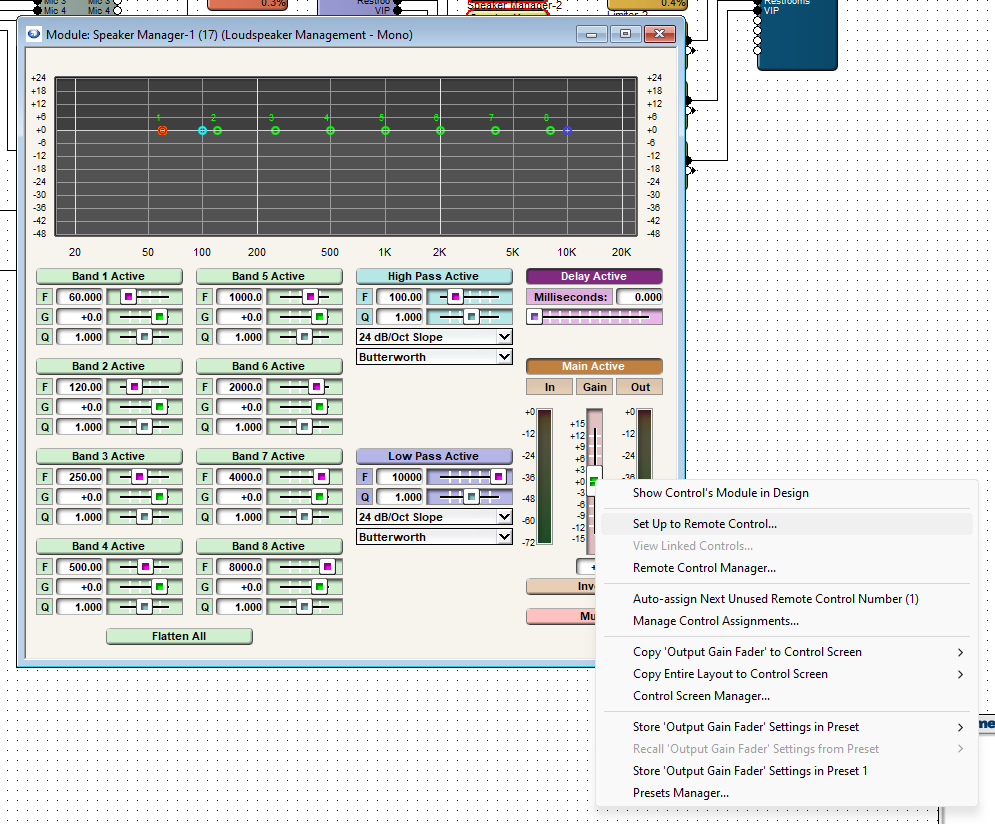
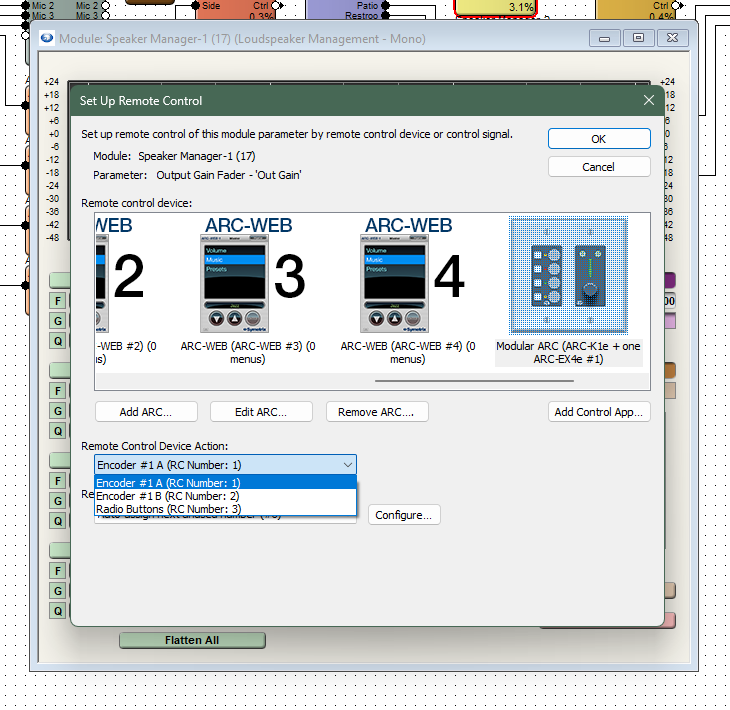
This site file has four speaker zones; Bar, Patio, Restrooms, and VIP. Open up the first Speaker Manager that flows to the Bar zone. Right-click on the module gain fader and select Set Up Remote Control.
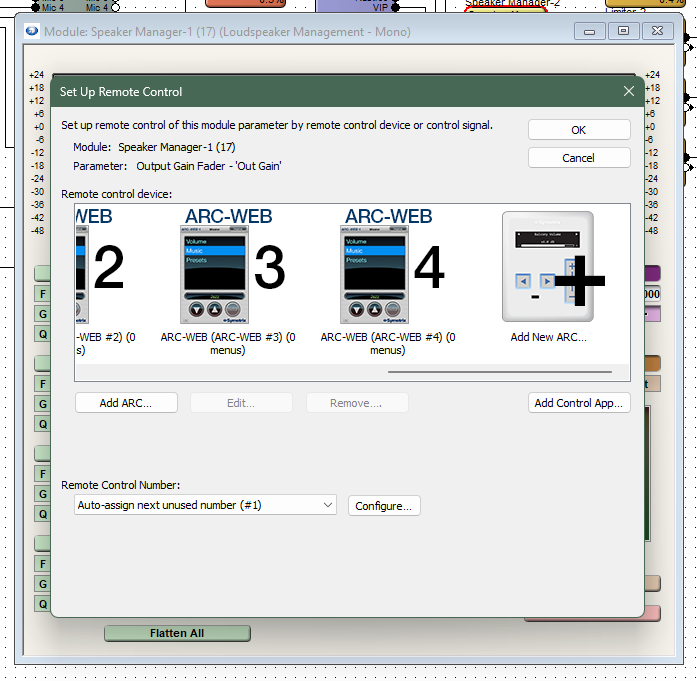
Scroll to the right in the Remote Control Devices area and select Add New ARC. If you already have an ARC-K1e or ARC-K1e + EX4e added, it should be displayed in this list.
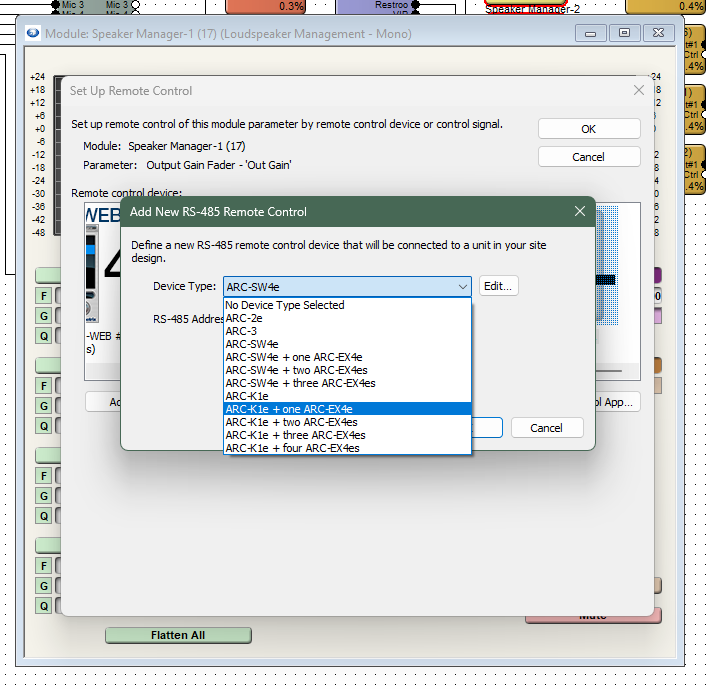
Select the ARC-K1e + one ARC-EX4e from the drop-down list.
Now select Encoder #1 A. This will assign the first Speaker Manager gain fader to the A side of the K1e knob control. Do the same for the second Speaker Manager gain fader, but select Encoder #1 B to set it to the B side of the K1e knob control.
Note: the other two zones would require a second ARC-K1e. If two or more zones are to be controlled together, set the gain faders to the same control number. These faders will control in unison.
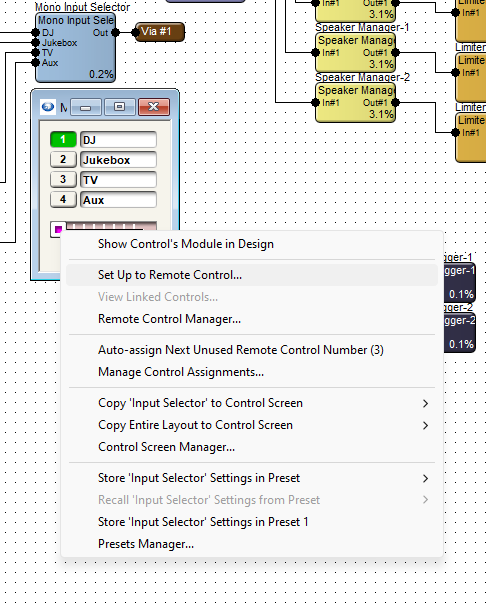
Now, open up the Mono Input Selector module, right-click on the slider at the bottom, and then choose Set Up to Remote Control.
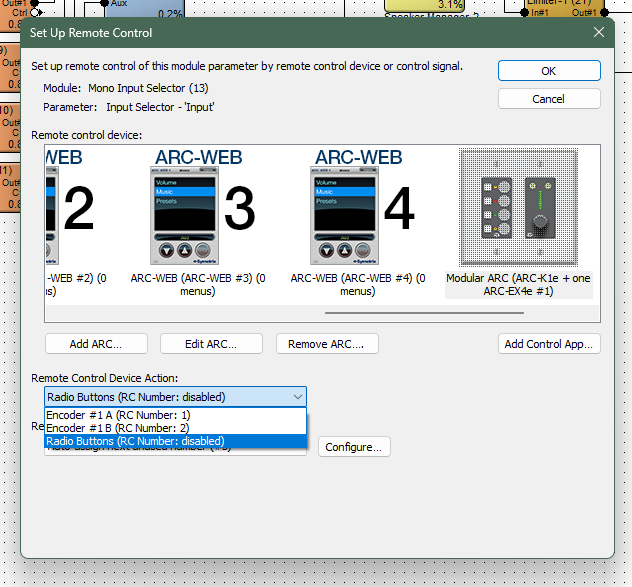
Choose the Modular ARC from the list and assign the Input Selector slider to the Radio Buttons option. This will allow the four input selections to relate to the four buttons on the EX4e, in the same order that they appear in the module.
Push the design and program the ARC remote, and go online to test the control.
ADDITIONAL NOTE:
There are may more ways to take advantage of the ARC-K1e in combination with EX4e or SW4e. This Tech Tip is a basic example of setting up these remotes. Refer to the Help File > Module ARC Programming for more information.