










-
Type
- Dante
- Networking
- Control
-
System Management
- Composer Management Software
- SymVue Screen Authoring
- AV-Ops Center Remote Monitoring
- ARC-WEB Control Interface Signal Processing
- D100 AVoIP DSP Server
- Radius NX AVoIP DSP
- Prism AVoIP DSP
- Edge AVoIP DSP
- DSP I/O Expansion Cards
- Jupiter DSP
- Zone Mix 761 DSP I/O Connectivity
- xIO Bluetooth Endpoints
- xIO XLR Endpoints
- xIO AVoIP DSP Audio Expanders Control Systems
- T-Series Touchscreen Controllers
- W-Series Controllers
- Control Server for Personal Devices
- xControl GPIO Expander
- ARC-Series Controllers
How to set up a button press delay for control signals
Product:Composer Management Software
Type: Control
In some situations, you may need to avoid unintentional button presses on a control screen or external controller. This could be to trigger a preset, power down a system, or a myriad of other cases.
This could translate into the user needing to hold a button for a given amount of time before a control will activate. We can achieve this with a ramp processor and threshold detector.
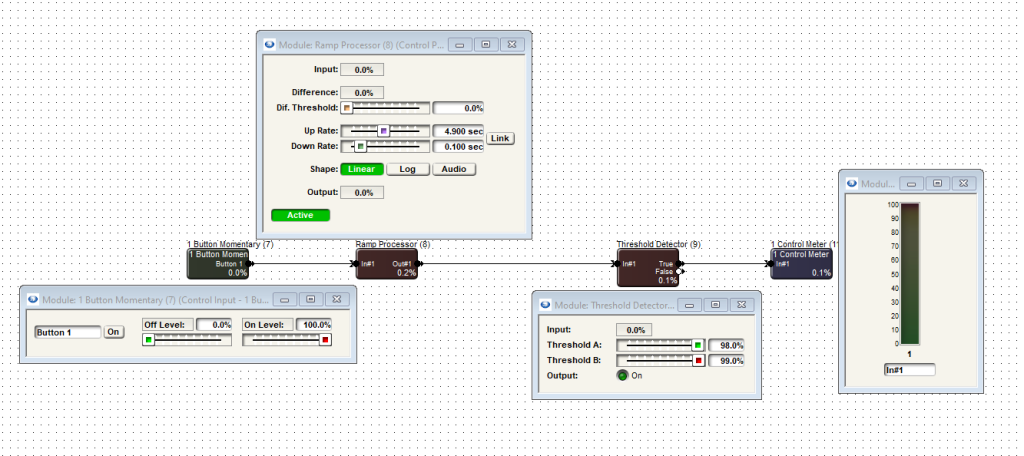
Drag in these modules and wire them as shown below.
This functionality can be used with either a momentary button or latched button. The control meter at the end of this example simply shows the 100% signal flowing through the TRUE output of the threshold detector. This could be a remote control number output, preset trigger, network string output, etc.
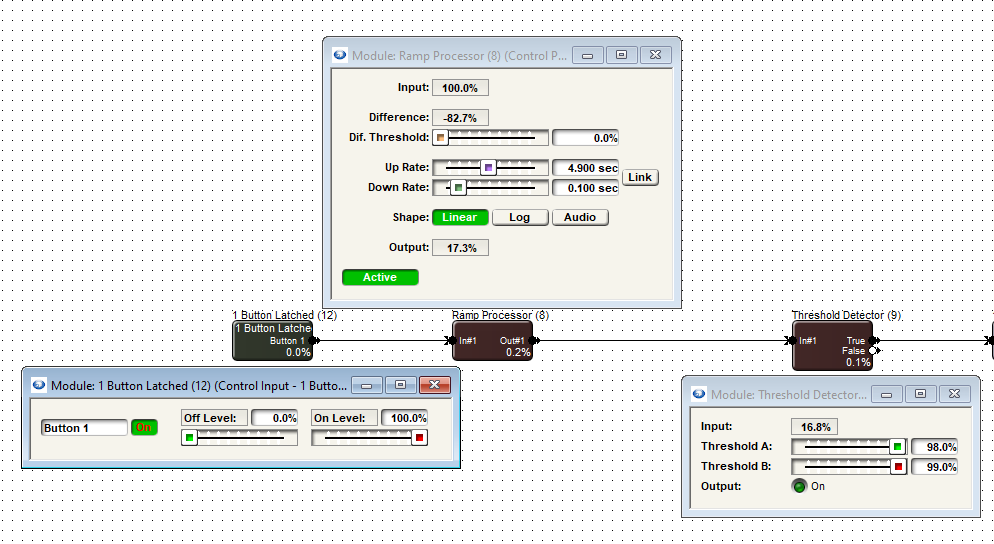
When the ON button is pressed and held, we can see 100% control signal inputting into the ramp processor which slowly raises its output level from 0% to 100% over the span of time set by the UP rate. We see the ramp processor output then inputting into the threshold detector’s input.
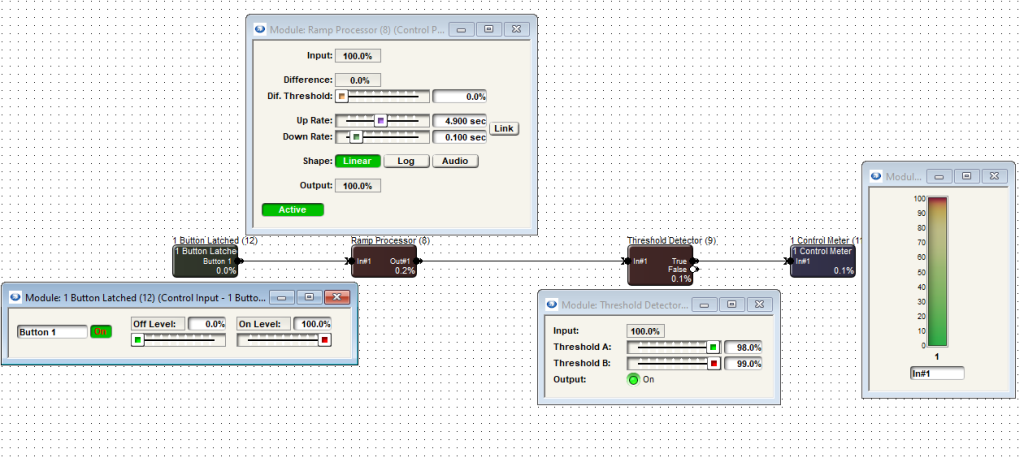
Once the ramp processors output has reached 98% or higher (as set by the Threshold A slider), the threshold detector allows the signal to pass through its TRUE pin, causing the control meter to reflect 100% input.
The threshold detector could also have its FALSE pin connected to something that would trigger something else when the button is in the off state.
Additional note: logic functionality doesn’t work live in Composer unless it is online with the system.