










-
Type
- Dante
- Networking
- Control
-
System Management
- Composer Management Software
- SymVue Screen Authoring
- AV-Ops Center Remote Monitoring
- ARC-WEB Control Interface Signal Processing
- D100 AVoIP DSP Server
- Radius NX AVoIP DSP
- Prism AVoIP DSP
- Edge AVoIP DSP
- DSP I/O Expansion Cards
- Jupiter DSP
- Zone Mix 761 DSP I/O Connectivity
- xIO Bluetooth Endpoints
- xIO XLR Endpoints
- xIO AVoIP DSP Audio Expanders Control Systems
- T-Series Touchscreen Controllers
- W-Series Controllers
- Control Server for Personal Devices
- xControl GPIO Expander
- ARC-Series Controllers
Managing Multicast Dante Flows on a Network using IGMP Snooping in Composer
Product:Composer Management Software
Type: Dante
Type: Networking
Managing digital audio on a network may seem like a daunting task, particularly when the network is not a dedicated network switch, or series of switches used only for audio, but instead is shared amongst a variety of network devices, such as printers, PCs, control equipment, and servers, all sharing network bandwidth with the networked digital audio.
Understanding how to manage networked audio becomes extremely important when commissioning a system in which an existing corporate network is intended to provide the network infrastructure between two or more Dante capable; devices, third party consoles, or I/O end points. In such a scenario, managing the Dante audio becomes a necessary consideration; however, Dante has made the job of managing the unicast and multicast audio simple and straight forward.
First, it is best to understand the basics of unicast and multicast network traffic and how it relates to Dante networked audio, then cover the method for managing these two protocols.
Within Composer there are two types of Dante flows that can be defined; unicast and multicast.
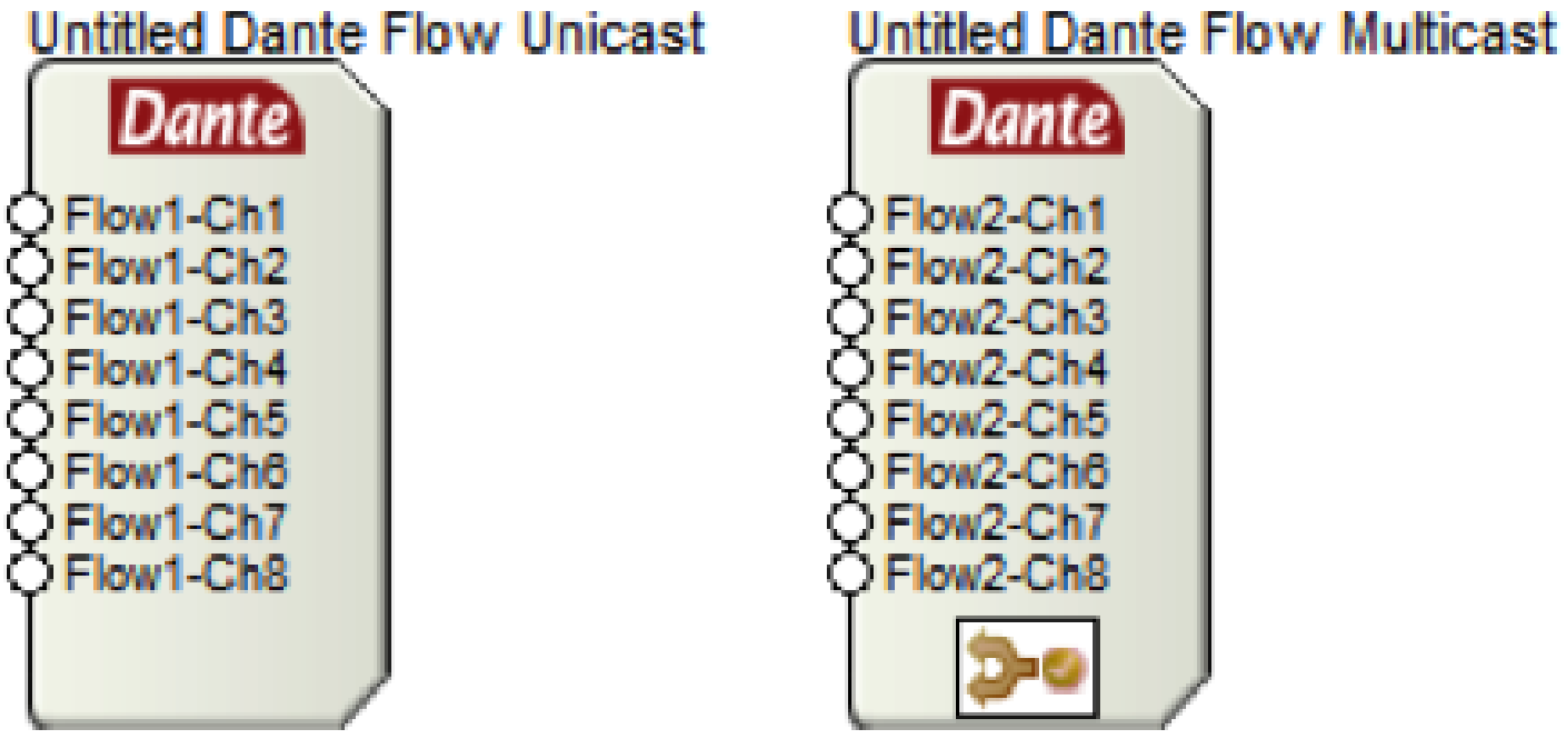
Unicast: A unicast flow is transmitted from one Dante device and is routed to exactly one other receiving Dante device. A unicast flow is routed across the network via a destination IP address embedded within the header of the Dante network packet.
Multicast: A multicast flow is transmitted from one Dante device and is typically routed to multiple receiving Dante devices. A multicast flow, when not managed, will be transmitted to every device connected to the network.
It is recommended to use unicast Dante flows whenever possible, especially when Dante is on a shared data network. This eliminates unnecessary network traffic by ensuring the Dante audio travels directly from one IP address to another, rather than proliferating across the entire network. That being said, when a Dante channel is routed to three or more devices, it is a more efficient use of the network bandwidth to use multicast flows.
The fact that multicast Dante, when not managed, will be transmitted to every device connected to the network means that each network device must analyze the multicast packet of data, determine if the packet must be received, and then either receive the packet or disregard it and continue operation. For devices without Dante capabilities, receiving large amounts of multicast data can lead to slower processing speeds, sluggish network response, and other performance related issues. In fact, a type of denial-of-service-attack utilizes this exact method for sabotaging network service.
The question then becomes, is it possible to manage multicast Dante flows on the network such that these multicast flows are only routed to the LAN ports of the Dante receiving devices? The answer is “yes”, and in fact, this management is very easy to implement. This management process is called “IGMP snooping”.
IGMP snooping is a feature of a managed network switch that allows it to listen in on conversations between the multicast source, receivers, hosts, and routers. By listening in to these conversations, the switch builds and maintains a map of which links need which IP multicast streams, such that multicast streams may be filtered from the links which do not need them, and thus ports receive only specific multicast traffic they have subscribed to.
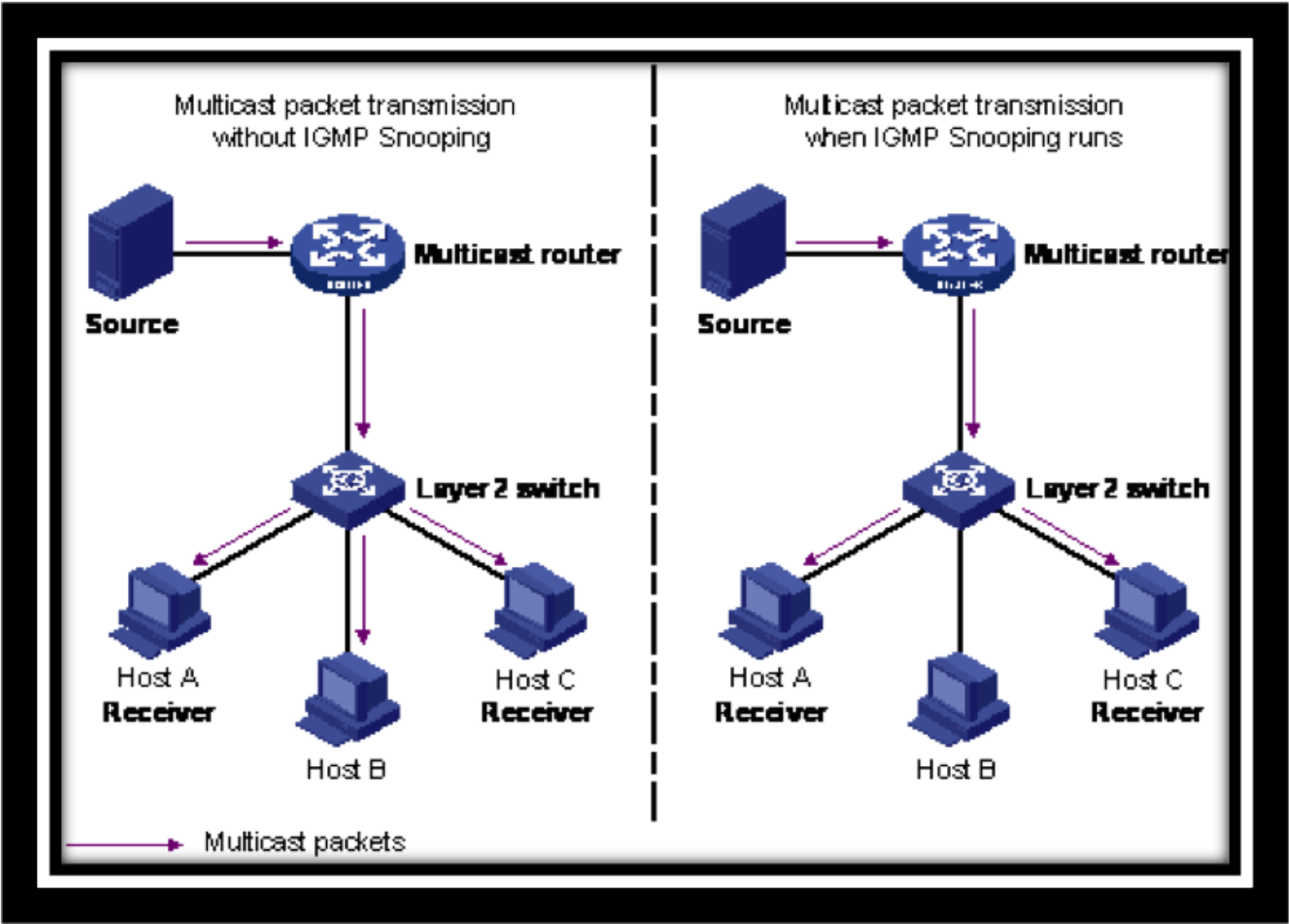
From the diagram above, it should be clear that as a standard practice IGMP Snooping should be enabled on all shared networks with multicast Dante flows.
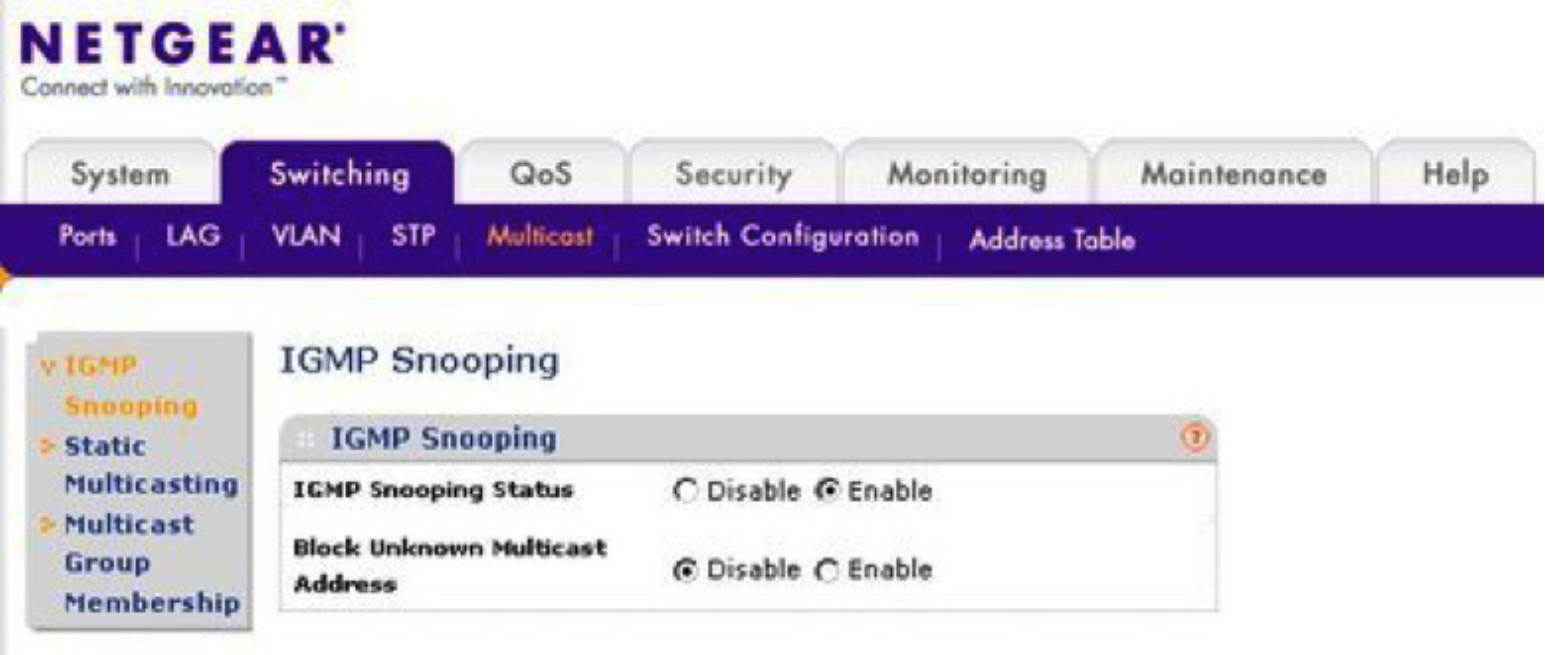
Simply enabling the IGMP Snooping feature is all that is required, and from that point on, Dante multicast traffic will be filtered, kept from broadcasting to all devices on the network, and routed only to links containing Dante devices subscribed to the multicast flow.