-
Type
- Dante
- Networking
- Control
-
System Management
- Composer Management Software
- SymVue Screen Authoring
- AV-Ops Center Remote Monitoring
- ARC-WEB Control Interface Signal Processing
- D100 AVoIP DSP Server
- Radius NX AVoIP DSP
- Prism AVoIP DSP
- Edge AVoIP DSP
- DSP I/O Expansion Cards
- Jupiter DSP
- Zone Mix 761 DSP I/O Connectivity
- xIO Bluetooth Endpoints
- xIO XLR Endpoints
- xIO AVoIP DSP Audio Expanders Control Systems
- T-Series Touchscreen Controllers
- W-Series Controllers
- Control Server for Personal Devices
- xControl GPIO Expander
- ARC-Series Controllers
Symetrix xIO Bluetooth Plugins for Q-SYS
Product:xIO Bluetooth Endpoints
Manufacturer: Q-SYS
Type: Control
This article will demonstrate how to download and install Symetrix plugins for implementing xIO Bluetooth endpoints in systems that use Q-SYS DSPs.
Note: This article was written with Q-SYS Designer 9.10 installed. The latest version of Q-SYS Designer can be found here.
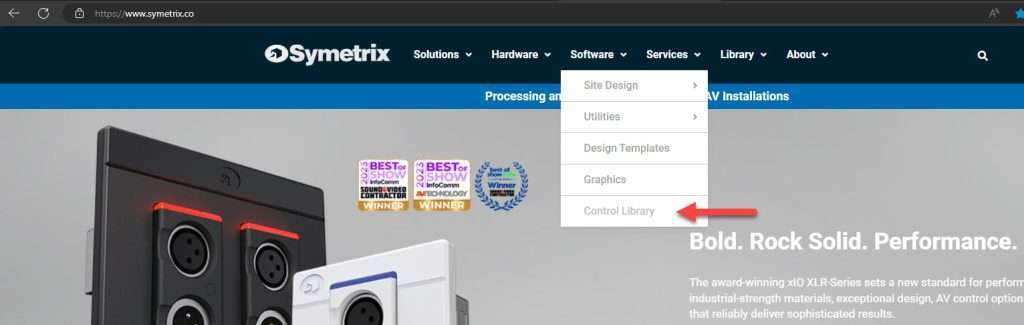
Step 1: Visit the Symetrix Control Library
- The Control Library can be found under the “Software” drop-down menu at the top of the page:
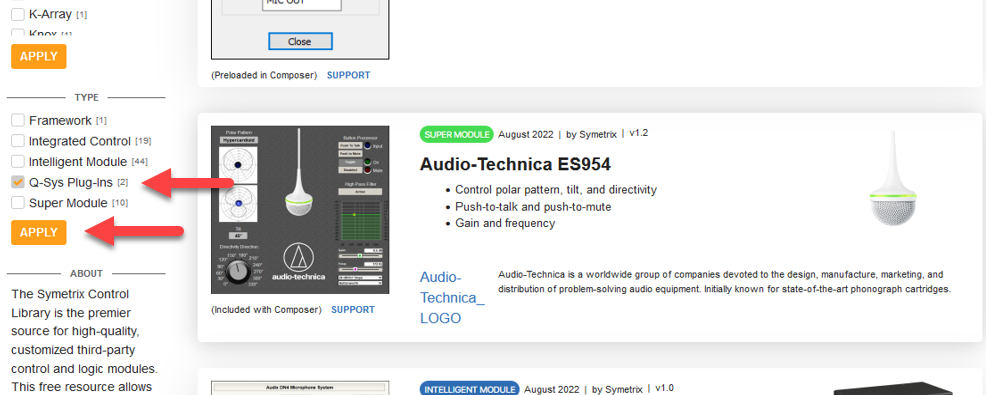
Step 2: Navigate to the “Type” section on the left-hand side of the Control Library page, check the box next to “Q-SYS Plug-Ins”, and select “Apply”:
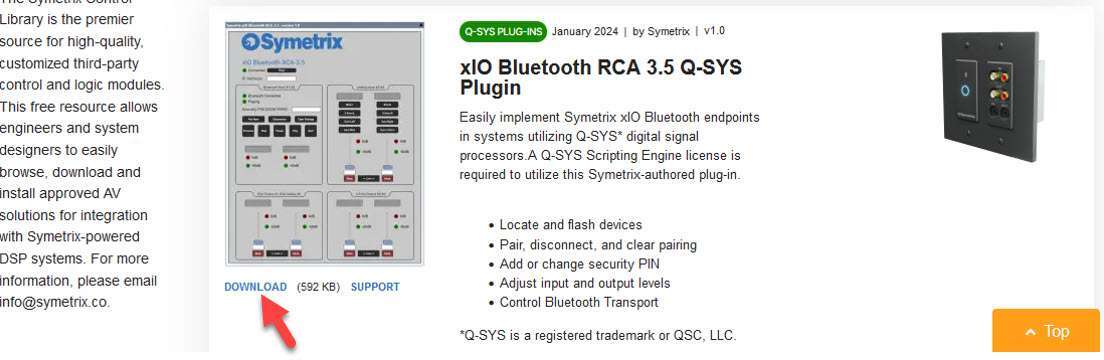
Step 3:The xIO Bluetooth Q-SYS plugins should now be displayed. Click the download button for the desired device type:
Step 4: Once downloaded, open the “.zip” file. Double click on the “.qplugx” file and select “Yes” when prompted. This will automatically install the plugin into the “User Plugins” folder of the Q-SYS installation:
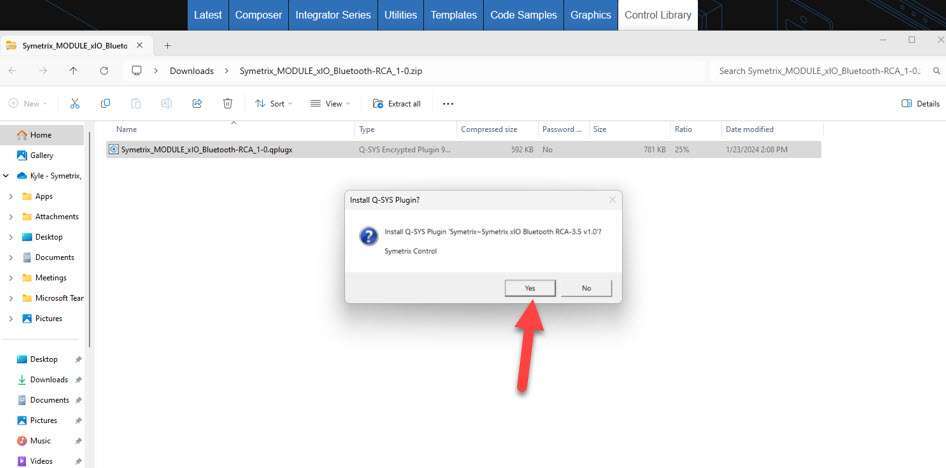
- The default directory path will likely be “Documents > QSC > Q-Sys Designer > Plugins”
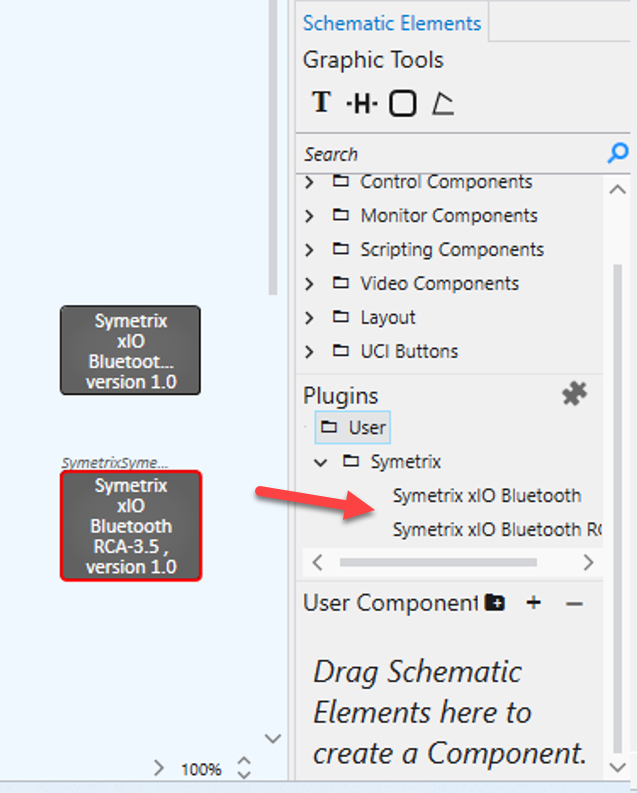
Step 5: Open Q-SYS Designer. In the right-hand panel, the plugins can be found under the “Schematic Elements” tab under Plugins > User > Symetrix. Bring the plugins into your design by clicking on the name of the device and dragging into the design panel: