











DesignOps AV and Control Software
End-to-end Design, Creation, Configuration, Control, Operations, and Management application for complete Audio, Video, and Control system deployment.
Developed from the ground up with advanced software design expertise incorporating contemporary web technologies, DesignOps software provides a dramatic new level of speed, ease of use, capabilities, and innovation.
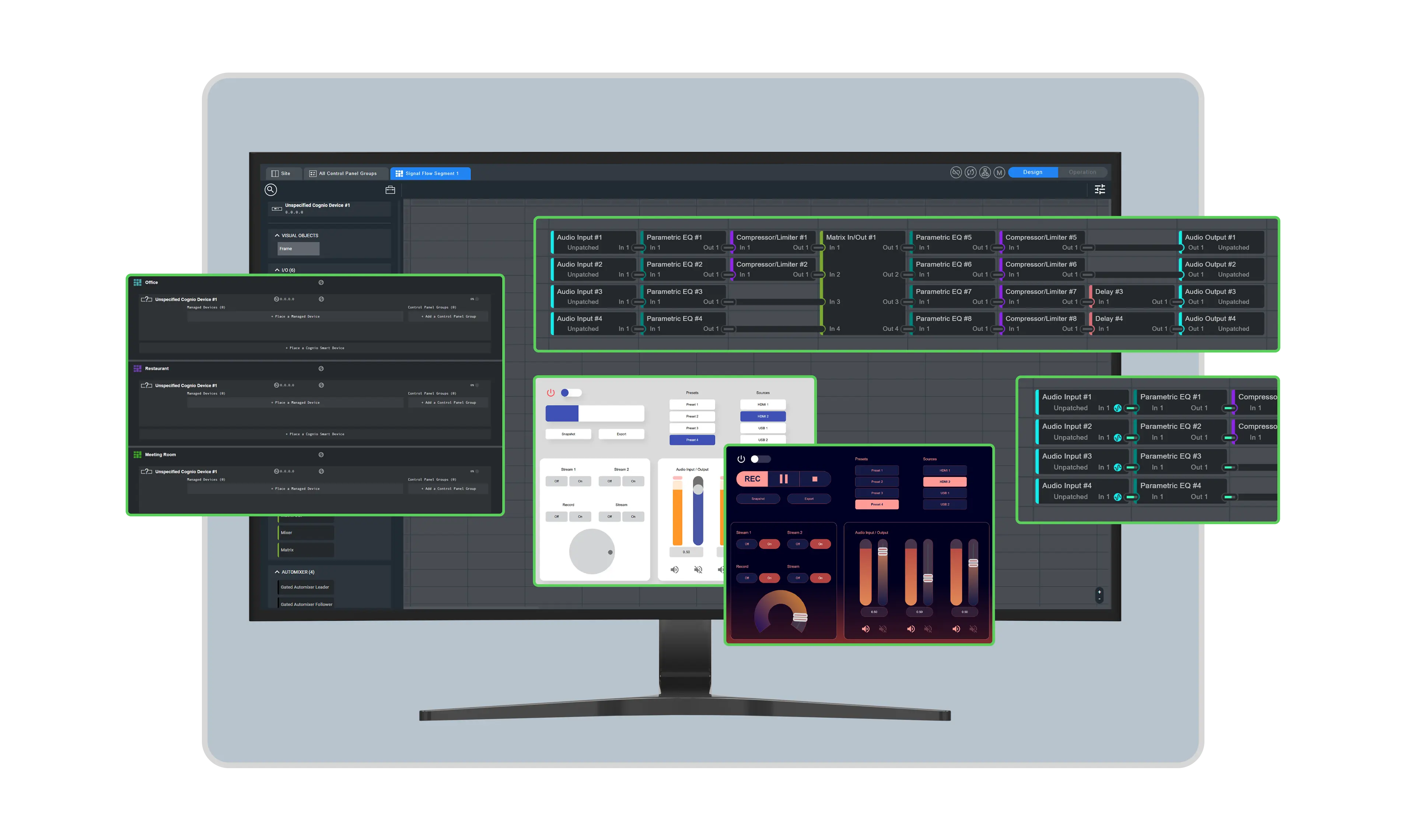
Streamlined site design, configuration, and programming.
- Design of sites with a wire-free methodology
- Segment sites into multiple, independent spaces
- Off-line emulation without hardware
- Elegant creation of attractive control screens
Flexibly customize, optimize, and manage AV systems.
Comprehensive Control
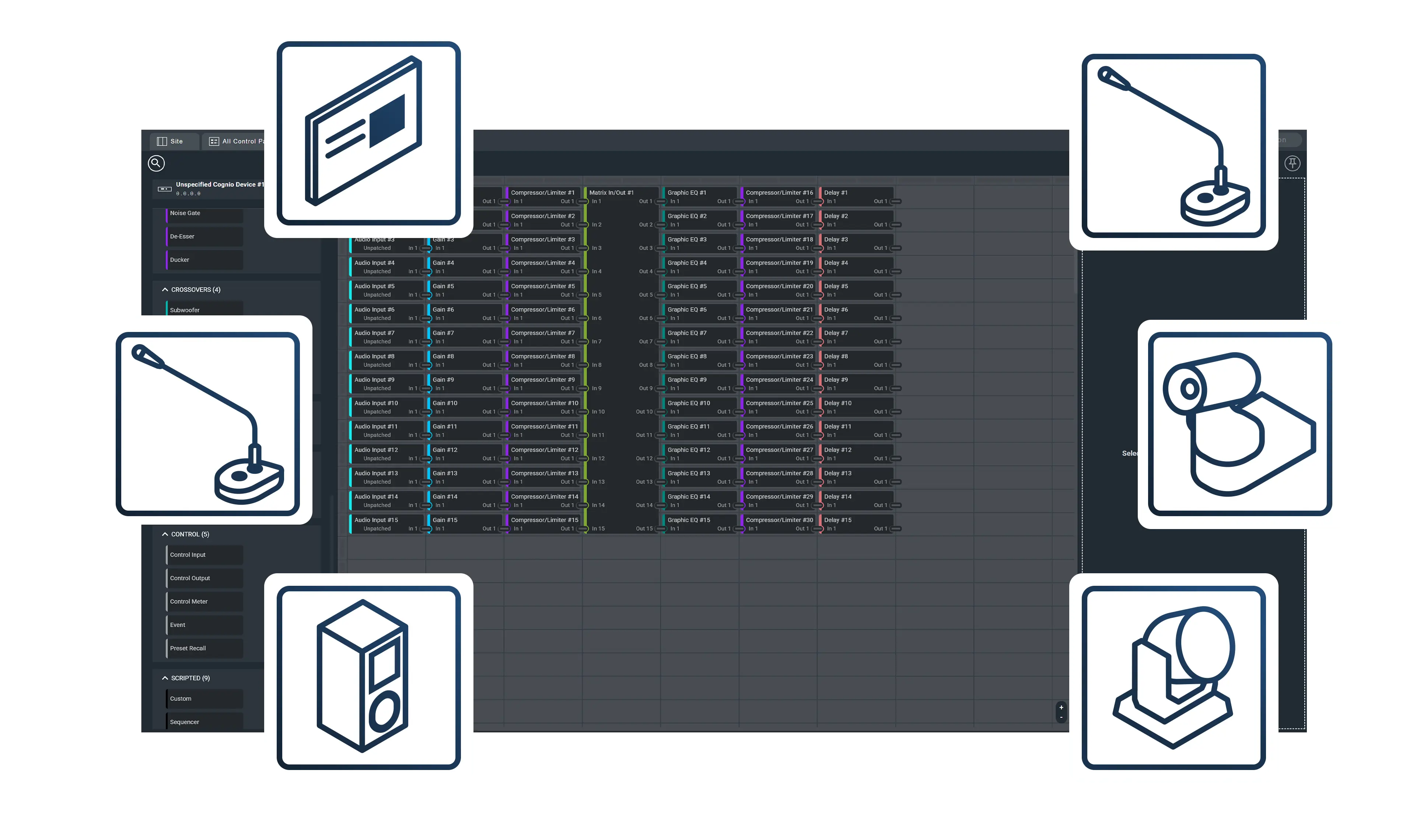
Interact with various Symetrix and third-party products through software modules and an open API with control via UDP, TCP, HTTP, SSH, and JSON RPC to route signals, assign endpoints, control devices, and more.
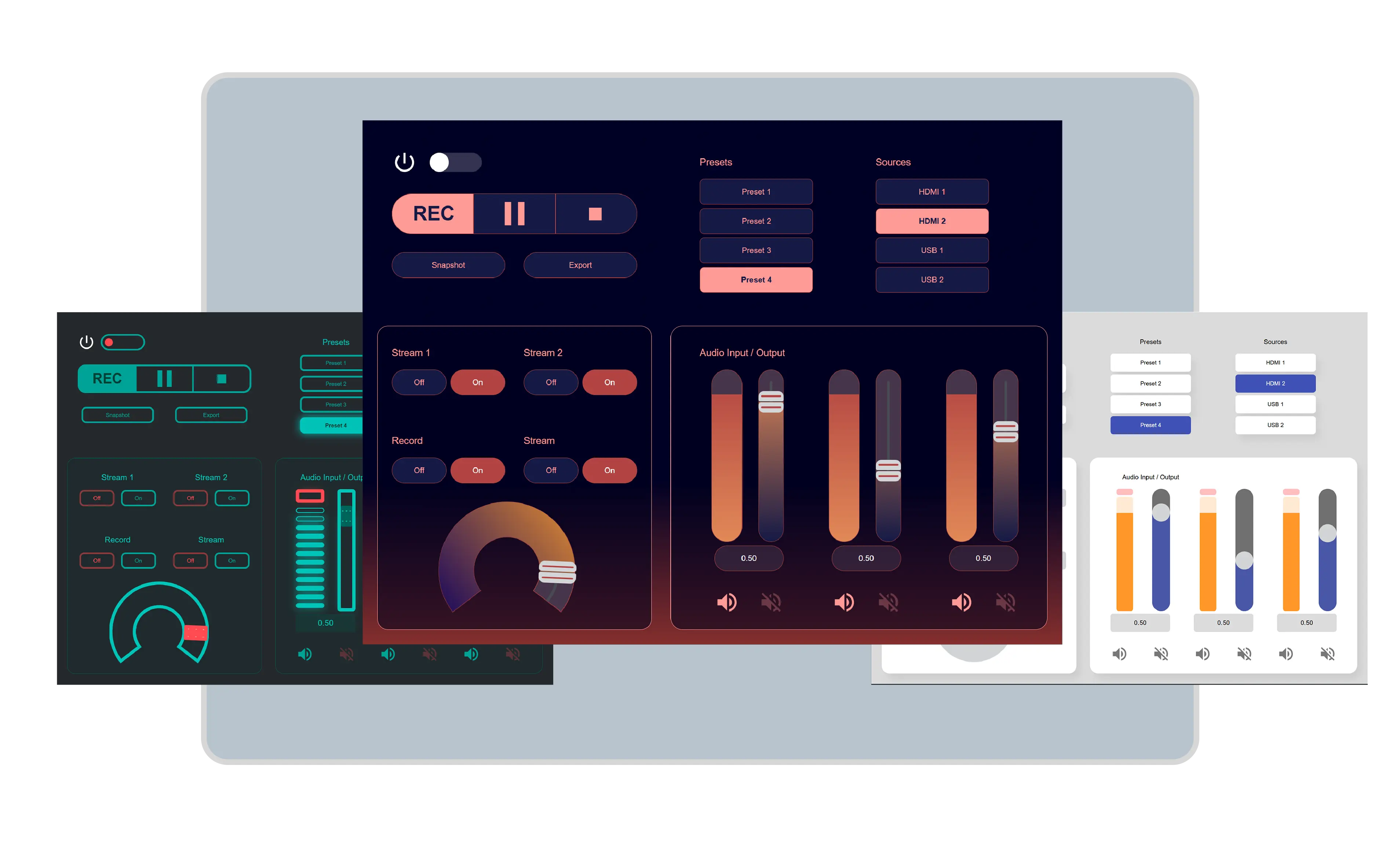
Control Screen Creation
Customizable, vector-based control screens are built without writing code or relying on specialized design software including designing visual themes for easy re-use.
System Operations
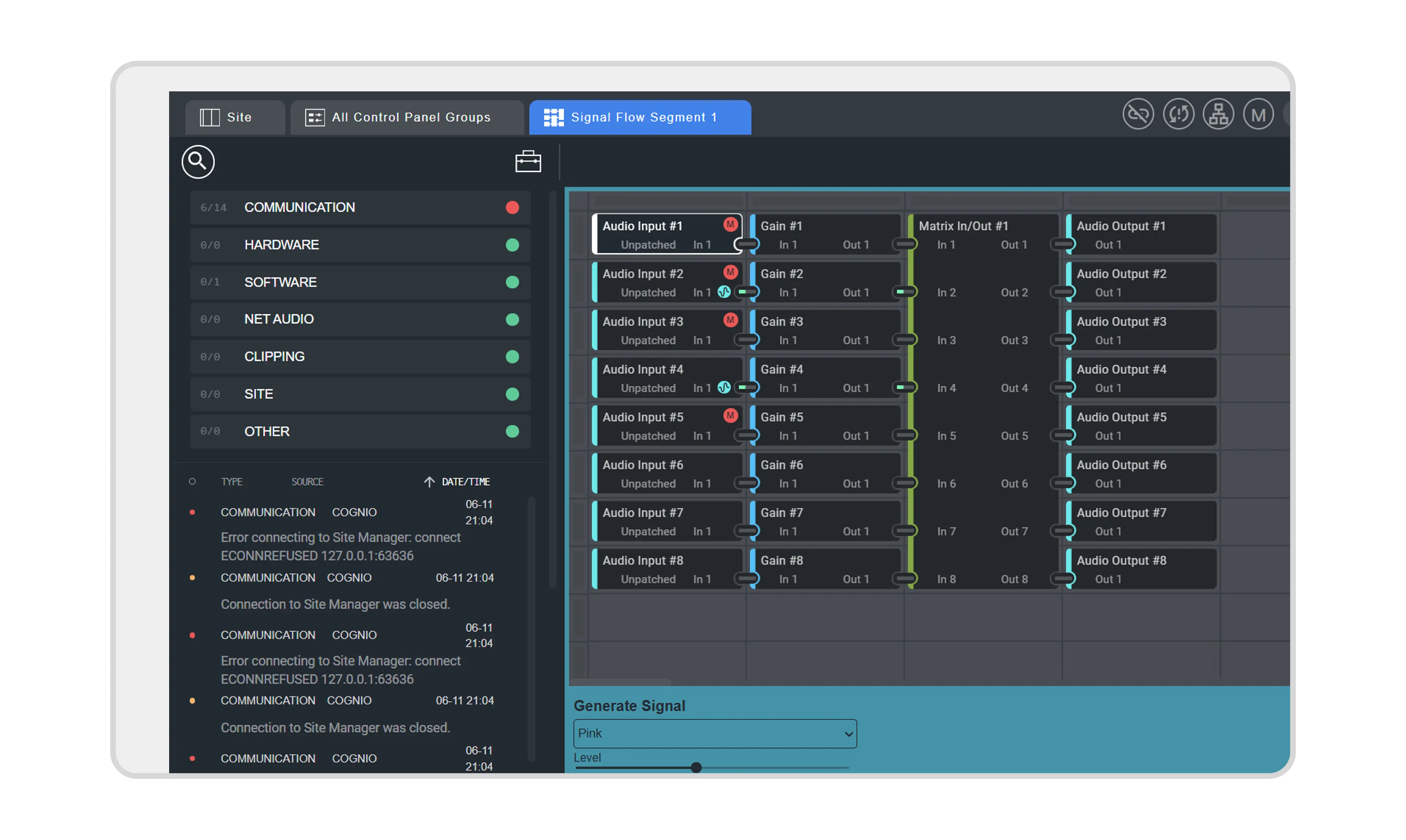
Powerful commissioning, diagnostics, management, and monitoring functionality with real-time status, full system metering and detailed, searchable diagnostics and event logging.
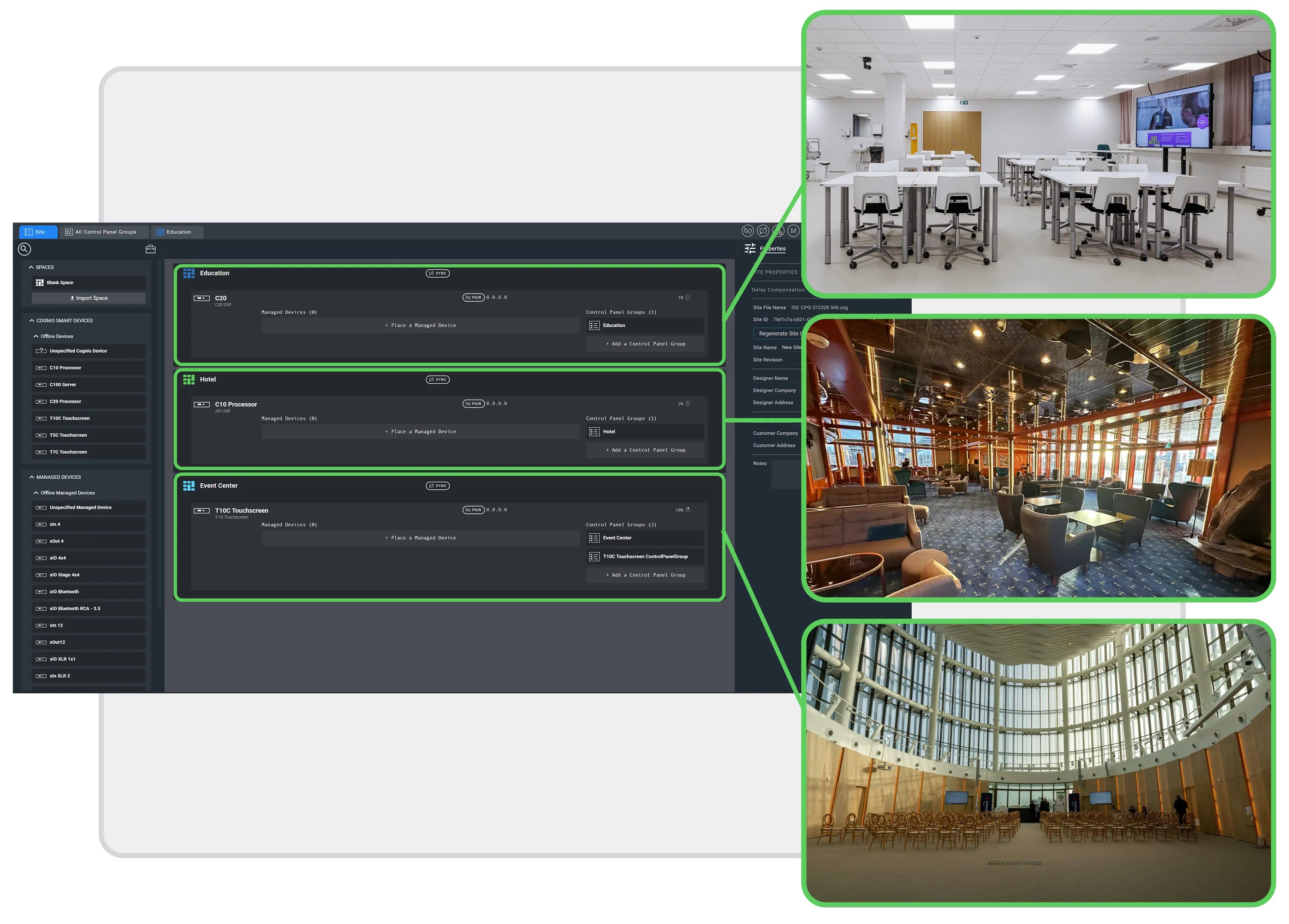
Segmented Designs
Create multiple, independent spaces for sites with audio and control signal distribution using a wire-free process that are reusable and then allocate hardware as needed.
DesignOps Capabilities
- Software allocation of platform resources independent of underlying hardware
- Design sites using a grid, wire-free style methodology
- Built on a foundation of modern web technologies
- Design of systems with flexible Signal Flow Spaces that need less hardware to reduce costs
- Smooth scaling for any size site
- Creation of customizable, vector-based no-code control screen GUIs
- Create and reuse themes, spaces, signal processing, and other site elements
- Commissioning, diagnostics, control, and monitoring tools
- Real-time status, full system metering, diagnostics, and event logging
- Remote access, control, monitoring, configuring, and updating from any location
- Offline emulation of signal processing and control functionality without being connected to hardware
Training & Resources

This course teaches a modern, software-first approach to designing, configuring, and validating scalable AV systems in Cognio using code-free workflows, reusable templates, and offline testing tools.
Credits: 1 CTS RU | CTS, CTS-D, CTS-I, ANP
Access on-demand webinars and videos featuring best practices, how-to guides, and troubleshooting support for using Cognio effectively.
Your complete reference for designing, deploying, and managing AV systems with Cognio.
Design Segmenting
- Design spaces and signal flows first, then allocate hardware as needed.
- Design systems with flexible signal flows that need less hardware.
- Dynamically adjust the input and output of Individual modules to support mono, stereo, or multi-channel audio, with all upstream modules automatically updated.
Organize processing and control in separate, independent spaces.
Site Designing
- Design sites using a wire-free process with a grid, spreadsheet-style methodology.
Eliminate repetitive tasks, reduce manual effort, and accelerate project timelines.
System Scalability
- Create complete solutions without being tied to specific hardware.
Scale smoothly from designing a small space with just a few components to the largest of sites.
Off-line System Validation
- Use signal generation to emulate signal processing and control functionality in real time without being connected to hardware.
- Run the unified Cognio OS directly in the application to test and validate designs and hardware in advance without being connected.
Real-time signal generation displays indicators through signal path modules.
Operations Management
- Commission, Diagnose, Control, Manage and Monitor systems with the application.
- Repeat and share various tasks, including provisioning, configuring, and programming.
Activate Operation Mode with real-time status, full system metering, and detailed, searchable diagnostics and event logging.
Control Screen Creation
- Create vector-based control screens that are unique to user requirements and are visually engaging without writing a single line of code or relying on specialized third-party design software.
- Update control screen designs with just a single click.
- Easily adapt control screens to different panel sizes or aspect ratios.
- Build multi-panel interfaces with built-in navigation and without having to duplicate common controls.
Reuse designs with custom themes.
Design Element Re-use
- Create and reuse themes, spaces, signal processing, and other site aspects.
- Define sets of styles once and reuse them across projects or share with team members.
Create a library of assets to use across projects.
Signal Processing
All classes of audio processing modules for signal routing and shaping are provided with easy connecting, replacing, and adding in the grid design interface.
Presets
Set a number of parameters in control presets to be recalled via panels, switches, user devices, control screens, or by third-party controllers.
Security
- Manage use and access of Cognio hardware, control screens, and user devices.
- Strong access controls limit end-user access to just those control aspects that are permitted.
Default End-to-End Encryption, encrypted disk images secure boot, signed firmware, and secure updates via SFTP.
Signal Flow Optimizations
Create full systems for different spaces without the need for a traditional DSP that include signal processing, AVoIP audio channels, and control in various types of smart Cogniohardware systems.
AV over IP Audio Channels
- Route transmit and receive channels of Dante audio between physically separate hardware units, providing a mechanism to build huge multi-unit processing architectures.
Configure the Dante network audio buses, set the operating mode of the Dante ports, and manage Dante I/O modules.
Device Control
- Connect Symetrix systems, third-party devices, control systems, and monitoring platforms to route signals, assign endpoints, control devices, and more.
- Transmit strings using TCP/IP, or UDP/IP to control third-party devices or use external TCP/IP signals to trigger internal functions.
- End user control options include Symetrix TC Series touchscreens and W-Series controllers, xIO endpoints, end user devices, along with support for third-party control systems such as Crestron and AMX via a flexible JSON RPC control API.
Consistent Lua driver model for Dante and non-Dante Devices with control via UDP, TCP, HTTP, SSH, and more.
View Cognio Driver Library to access third-party drivers