







-
Type
- Dante
- Networking
- Control
-
System Management
- Composer Management Software
- SymVue Screen Authoring
- AV-Ops Center Remote Monitoring
- ARC-WEB Control Interface Signal Processing
- D100 AVoIP DSP Server
- Radius NX AVoIP DSP
- Prism AVoIP DSP
- Edge AVoIP DSP
- DSP I/O Expansion Cards
- Jupiter DSP
- Zone Mix 761 DSP I/O Connectivity
- xIO Bluetooth Endpoints
- xIO XLR Endpoints
- xIO AVoIP DSP Audio Expanders Control Systems
- T-Series Touchscreen Controllers
- W-Series Controllers
- Control Server
- xControl GPIO Expander
- ARC-Series Controllers
Factory Reset & Network/DHCP Reset
Type: Networking
Factory Resets
What is a factory reset?
A factory reset clears all programming and settings off of a device. It will also generally return the device to the firmware version it left the factory with. However, some firmware upgrades on certain devices will bring the factory firmware up to a new minimum version.
Important: If possible, be sure to back up the site file to a PC before performing a factory reset, as all programming will be deleted from the unit.
When should I perform a factory reset?
A factory reset is generally advised if a device is experiencing issues that normal troubleshooting does not resolve. Factory resets can also be useful if a device has been purchased from the secondhand market, or if the site file on a device is password-protected and does not need to be retrieved.
How do I perform a factory reset?
The factory reset process is generally the same across all current Symetrix devices.
- Disconnect power from the device.
- While unpowered, push and hold the reset button.
- Re-connect power and continue holding the rest button during boot up.
DSPs should indicate on the front screen that they are performing factory reset. T-Series touchscreens should finish booting with a colored screen with the IP address displayed. Most other devices will be less obvious, but should show signs of reset such as no programming and a return to DHCP network (link local if previously static).
NIC Resets
What is a NIC reset?
Every Symetrix device that communicates over IP or Dante has a built-in network interface card (NIC) that allows for communication between itself and other devices on the network via its RJ-45 ethernet port. A NIC reset clears all network settings stored on this card and returns it to DHCP mode, where it will automatically obtain an IP address. For DSPs, T Series touch panels, W Series wall remotes, and Control Expanders, this will reset the NIC connected to the Control network. For Dante Expanders, this will reset the NIC connected to the Dante network. NIC resets do not apply to ARC-3 wall remotes.
When should I perform a NIC reset?
A NIC reset can be useful if a device has been assigned a static IP address that needs to be removed, or if a device cannot be located on the network even when directly connected to a PC. Keep in mind that the PC’s NIC will likely need to be in DHCP mode in order to connect to a device after performing a NIC reset, since the reset will return the device to DHCP mode.
How do I perform a NIC reset?
While the device is powered on, briefly tap its reset button. There will usually be a confirmation that the reset has been performed on the front LCD or LED. The NIC reset process is generally the same across most current Symetrix devices.
Reset Button Locations
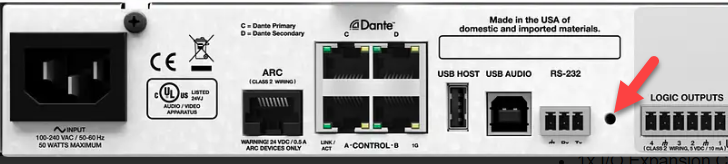
Edge, Prism series, Radius series (NX or not), Solus NX series, xControl, Control Server:
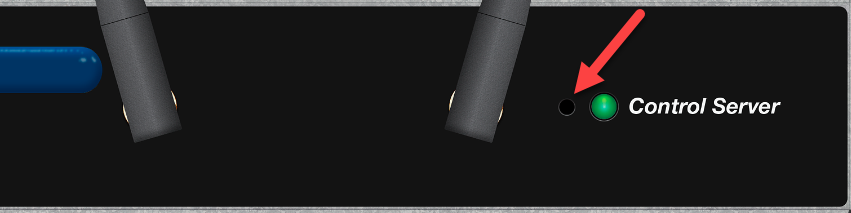
A small hole on the back of the device near either the RJ-45 or RS-232 connectors.. The Control Server reset button perforation is on the front near the status LED.
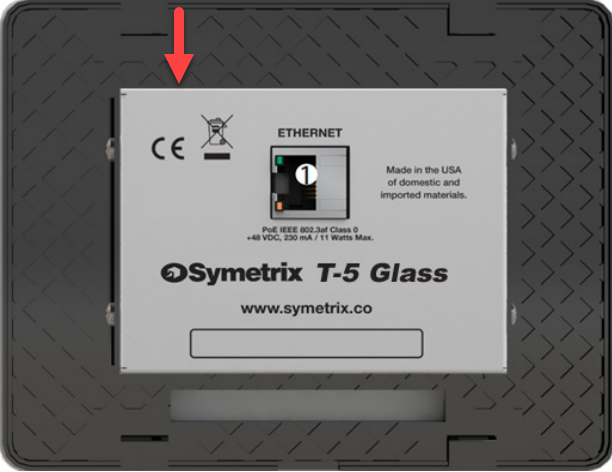
T Series Touch Panel:
- T-5V1/Glass (identify with RJ45 port on middle of mount)- A circular button behind the metal grille on the top rear of the unit.
- T-7/T-10/T5V2 (Identify with RJ45 port on bottom of mount)- A rectangular button behind the metal grille on the bottom rear of the unit.
W- Series Wall Remotes:
- A circular button near the bottom left of the back of the unit.
Dante Expanders:
- xIO BT / RCA: A circular button on the left side of the back of unit. Newer versions will have a grill with a button type and location similar to the T-Series.
- xIO Stage 4×4: A circular button on the right side of the unit.
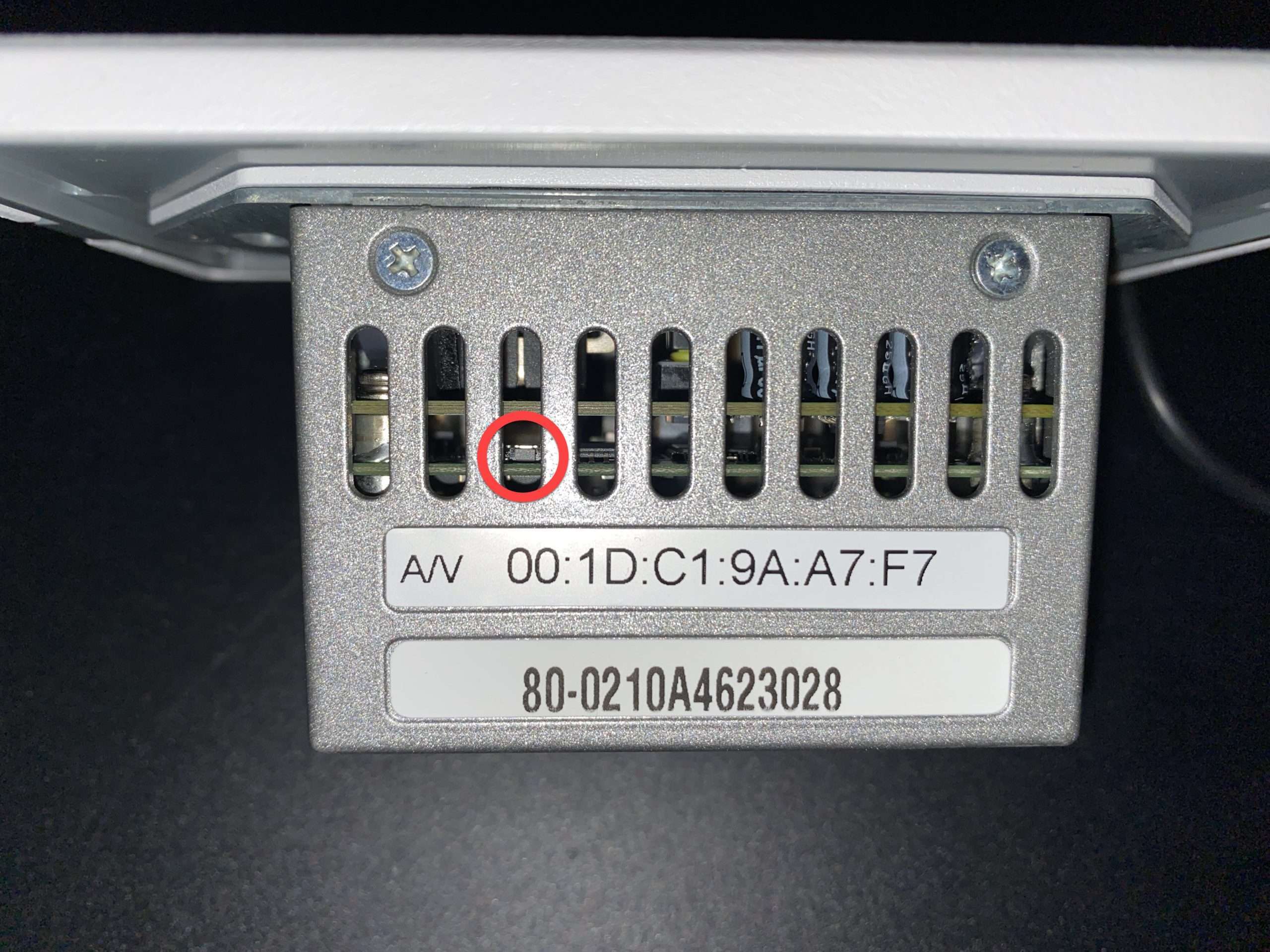
- xIO XLR: A small rectangular button in the third hole from the left above the MAC address sticker. Alternatively, the front panel button may be programmed to function as a reset button. See Unit Properties ->“Button Hold” functions within Composer.
Control Server:
- A reset button on the front of the unit next to the Control Server LED.
ARC Remotes:
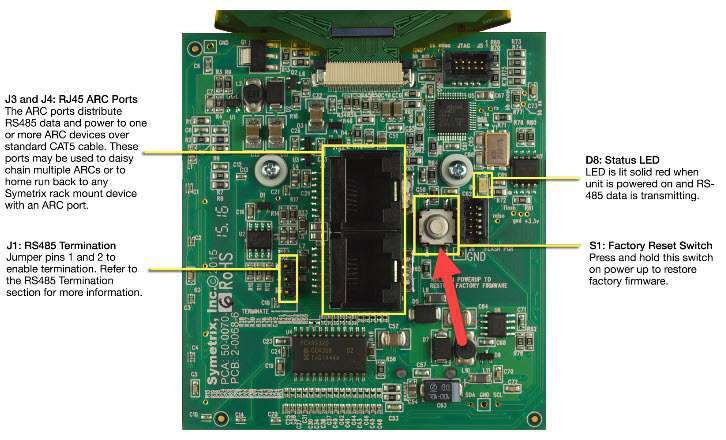
- The ARC-3 is the only ARC remote that can be factory reset. Look for a circular button on the back.
DSP and Control expanders (note Control Server is on the front)
Radius nx
T5
T-7 / T-10
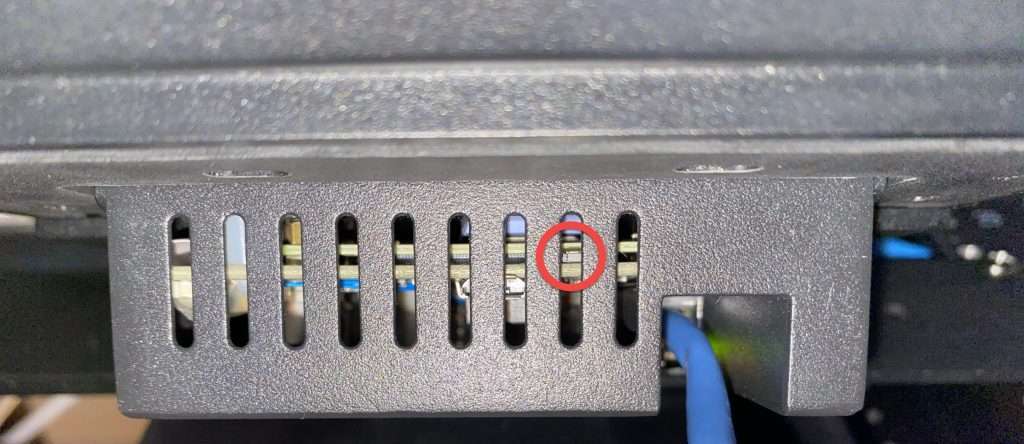
W1
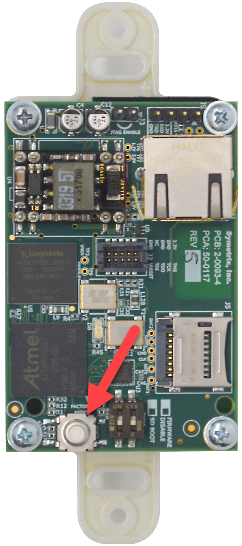
xIO Bluetooth & xIO Bluetooth RCA
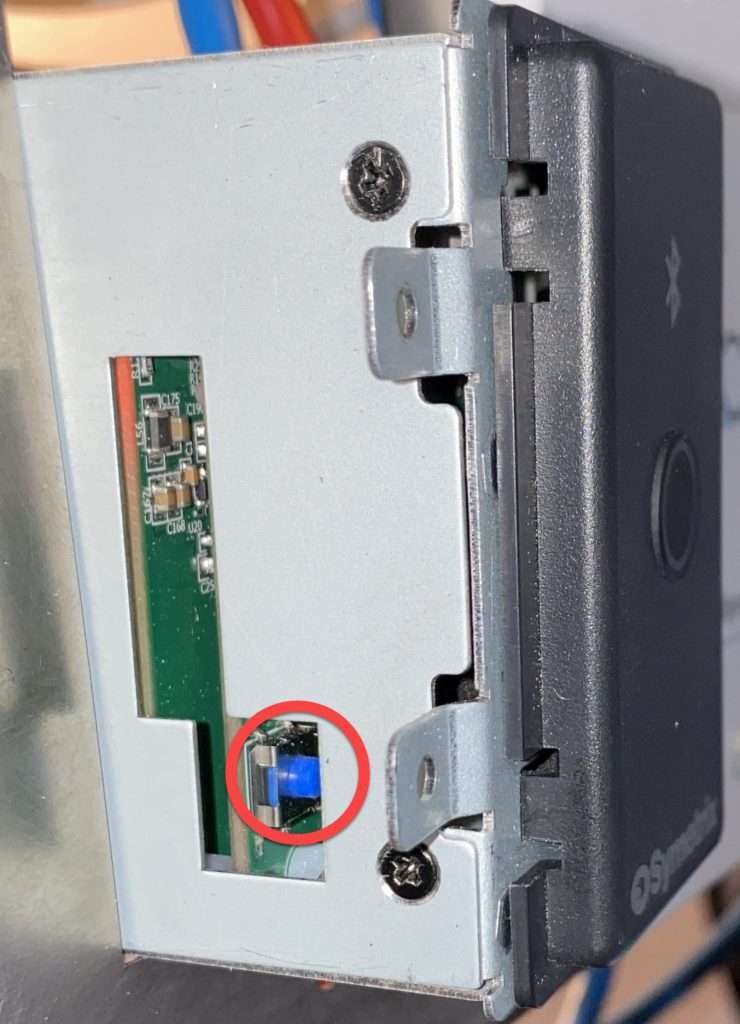
xIO Stage 4x4
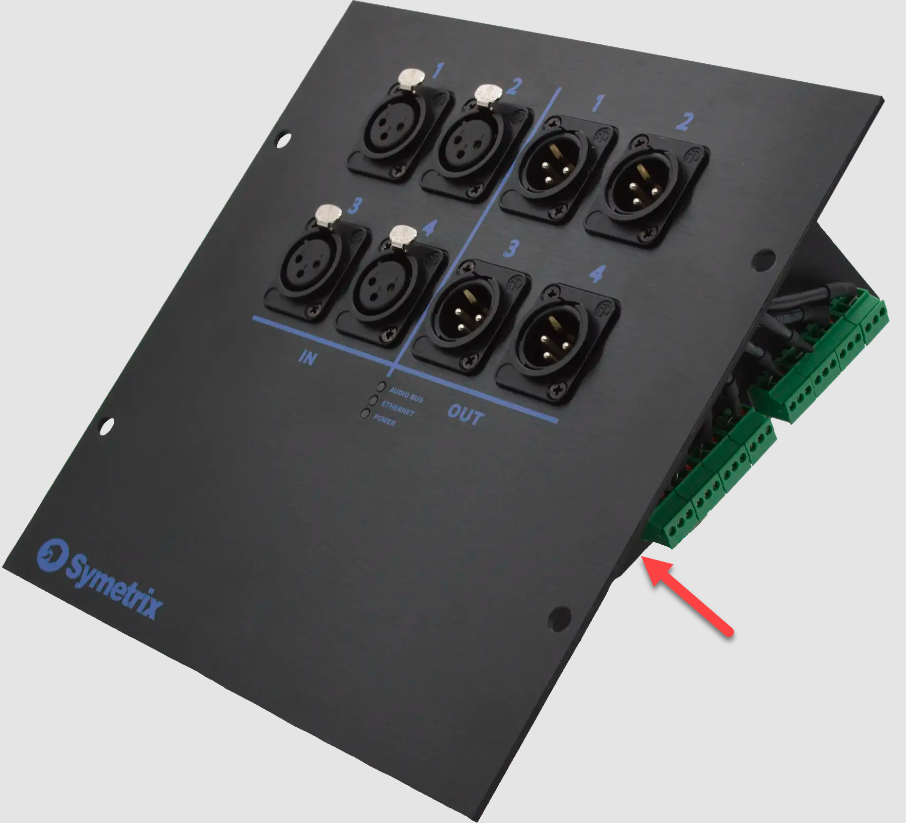
xIO XLR Series
Control Server
ARC-3